
Rerun
A local-only Android automation studio: a floating clicker, a gesture recorder, a tap map, and image-aware holds that turn numbered points and captured screen regions into a runnable script.
Download the Android APK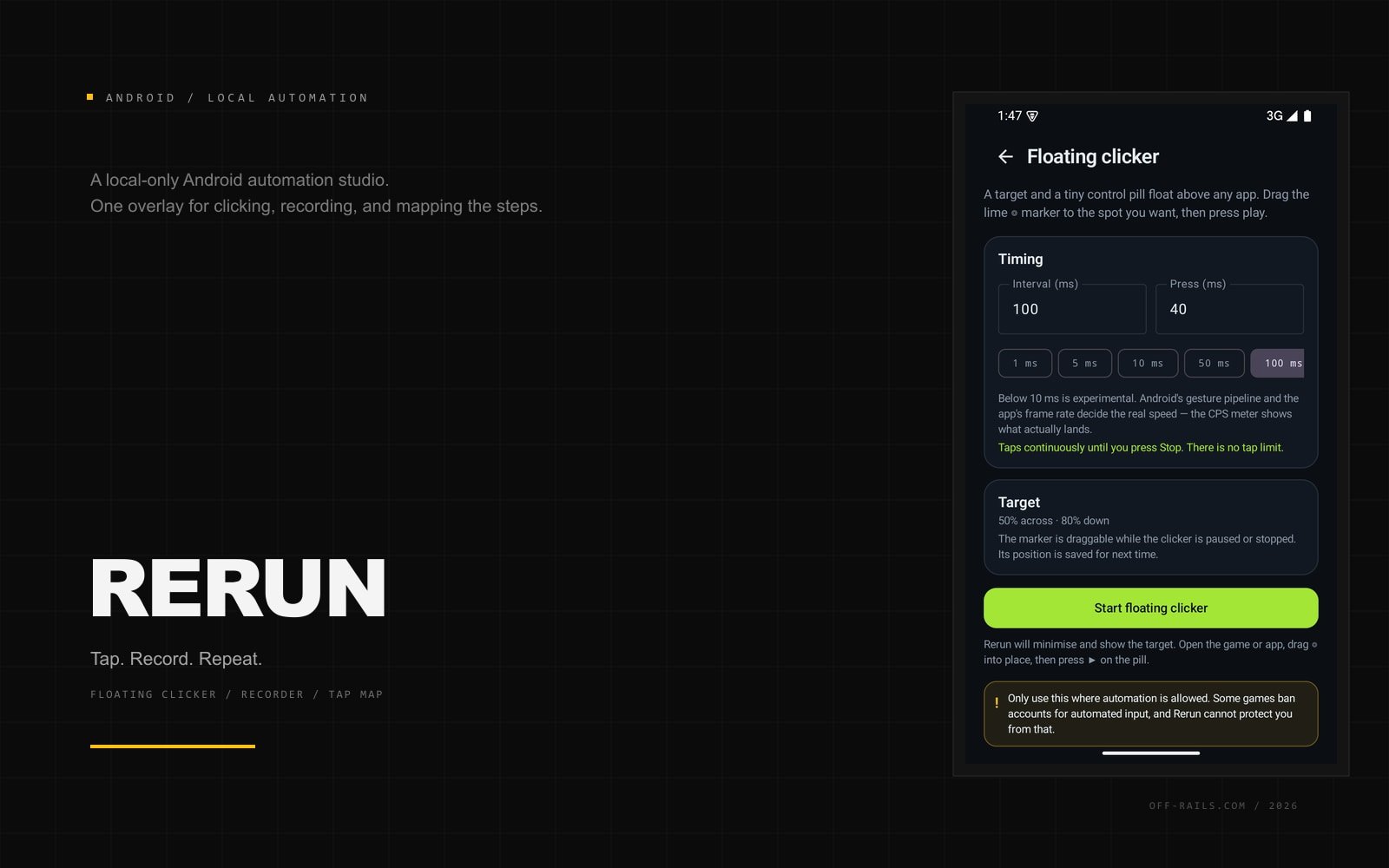 Off the Rails — 2026
Most Android auto-clickers sit at one end of a false choice: a single target on a timer, or a general automation suite with a learning curve and a permission list that reads like a warning label.
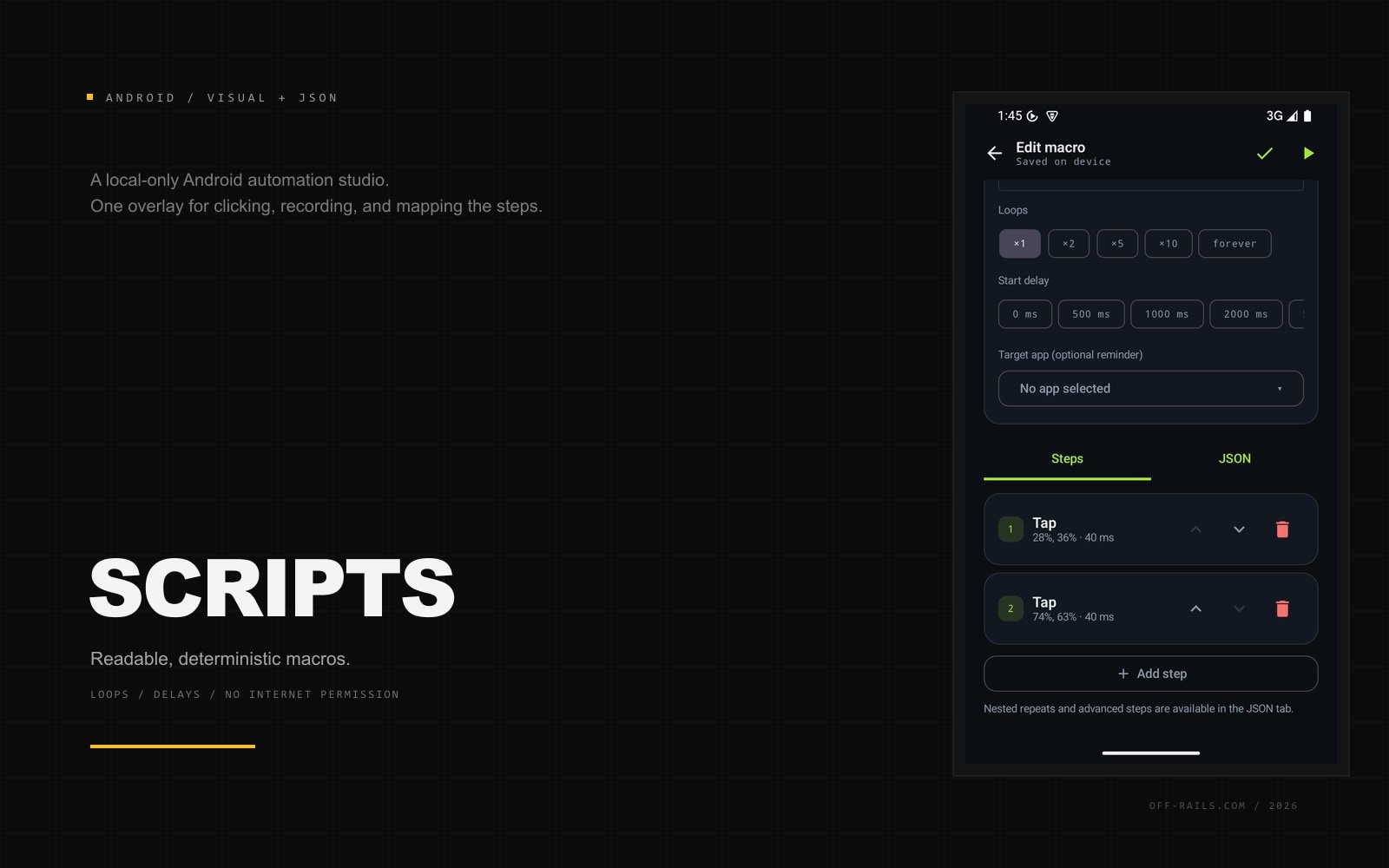
Rerun is a deterministic, local-only automation app. A small accessibility overlay taps, swipes, records gestures, or lets you place numbered points over any app. The editor turns those actions into a readable JSON macro with loops, delays, and navigation. Macros run only when you start them. The app has no internet permission, no account, and no analytics.
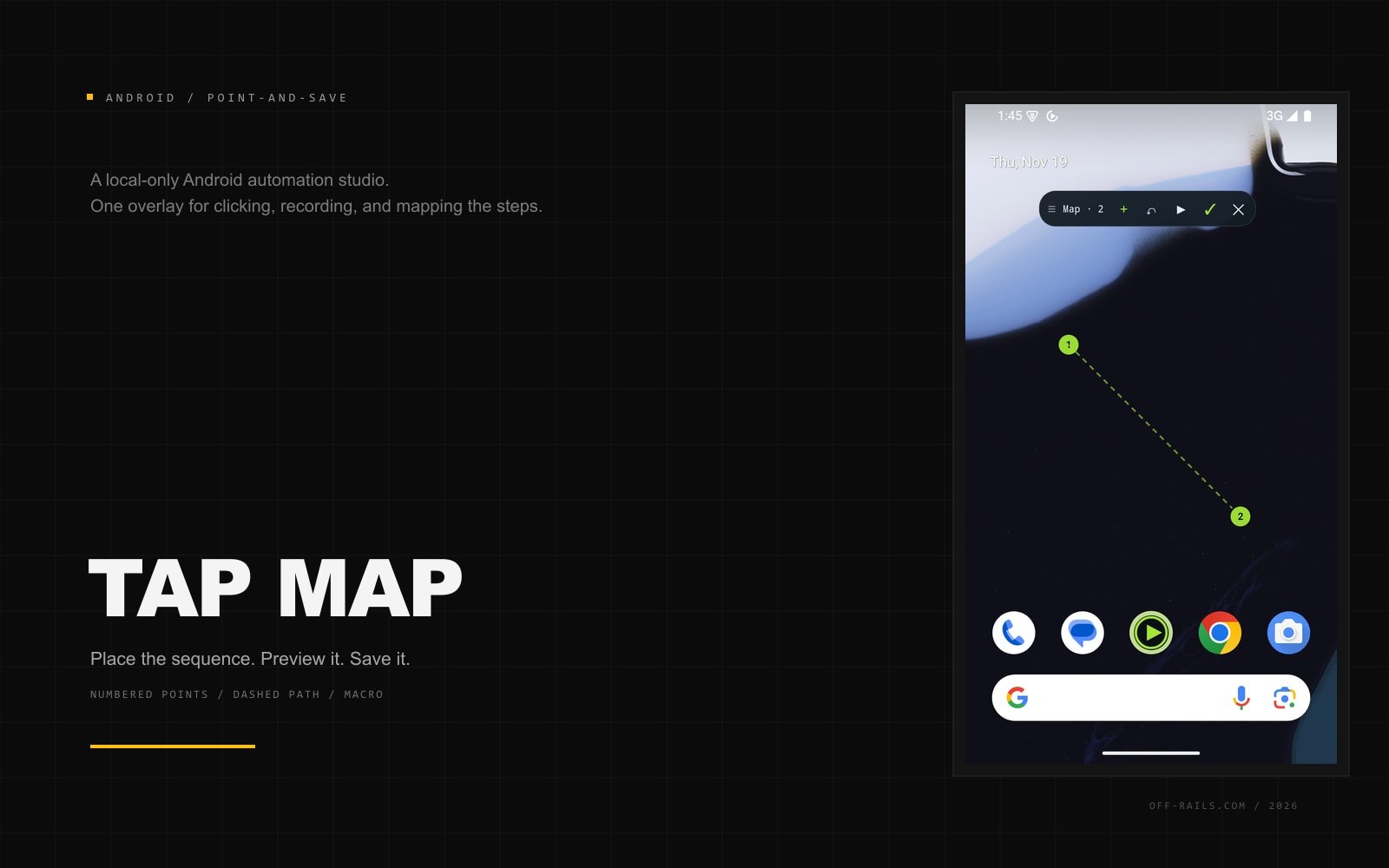
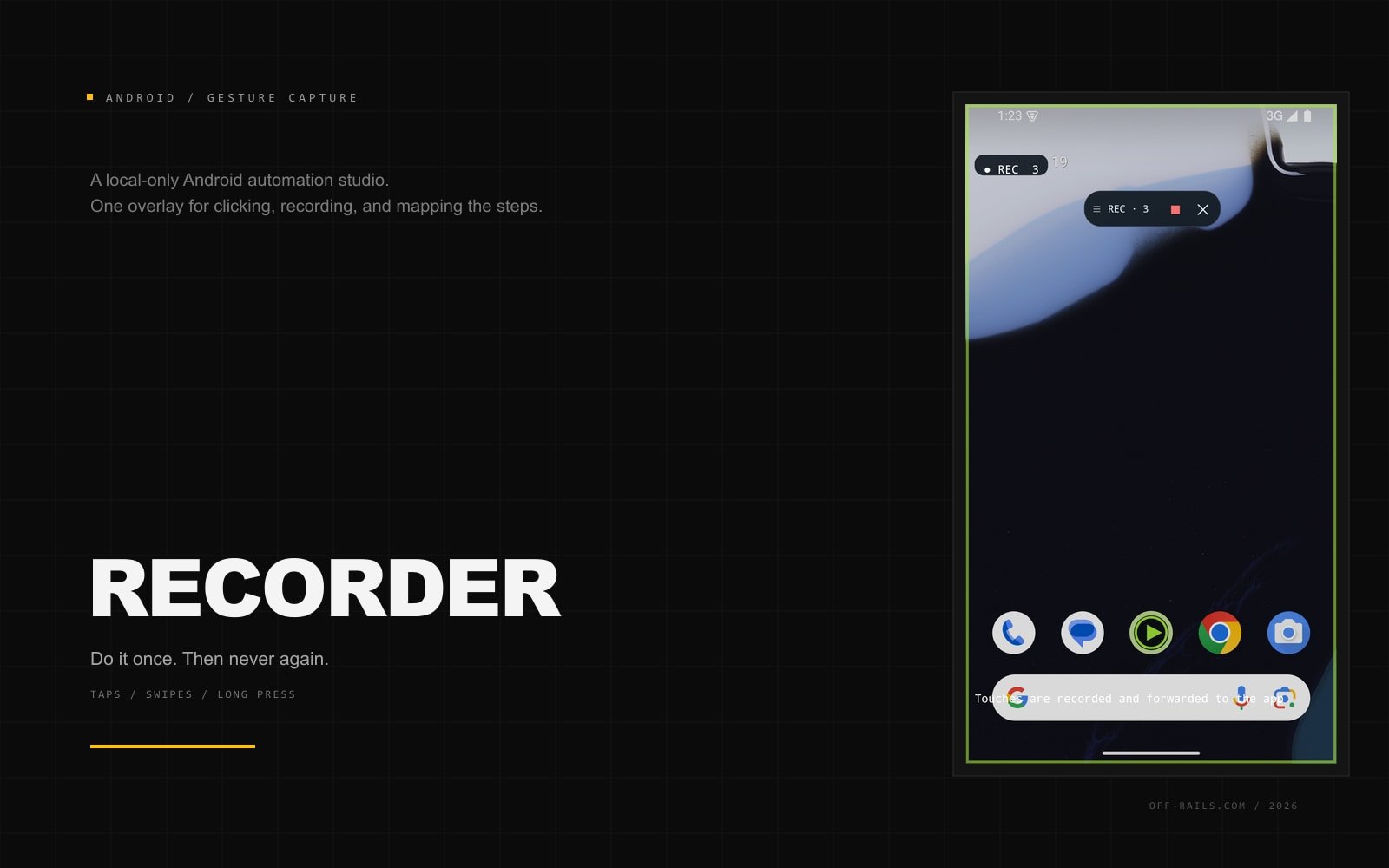
The first build includes the floating clicker, a gesture recorder that forwards touches so the app reacts, the tap map with preview and save, a visual step editor, a JSON editor, and a run log. The 0.1.2 build adds unlimited press-and-hold steps and stop-image capture: hold at a spot until a captured screen region appears, wait, optionally press again, or cap the step with a time limit. It is a working studio prototype, not a store release.
The brief
Auto-clickers are either too simple or too heavy. Recording usually replays blind: fixed delays, no awareness of the screen. Speed claims are disconnected from what Android actually delivers. And the category has a trust problem: overlays, ads, anti-detection marketing, and no clear warning that automation can get an account banned.
The approach
Deterministic by design. Every loop, delay, and repeat is a static step written by the user; no model decides what to tap. One overlay language drives the clicker, recorder, tap map, and macro runner. The target marker is draggable, the map places numbered points without blocking the app, and the recorder forwards each gesture so the screen reacts. Macros can be built visually or written in JSON over the same schema, with normalized coordinates so a macro travels between resolutions. The clicker reports measured taps per second next to the requested interval. On the test device, a 1 ms setting delivered about 23 taps/s; 100 ms delivered 10/s.
The outcome
A working Android prototype that can click until stopped, record taps, swipes, and long presses, map a sequence over any app, preview it, save it, and replay it from a readable script. It can also hold at a spot until a captured screen region appears, then wait or press again. The next phase is branching and retry logic on top of those screen-aware waits - the "keep trying until an appointment opens" use case that started the idea.
23
taps/sec measured at a 1 ms setting
0
internet permissions
3
ways to build a macro
Next project
Strata
Have a brief like this?
Bring us the messy version. We are good with messy.